Dramatica Software Tips
The Creative Way to Use Dramatica
by Melanie Anne Phillips
Many people get discouraged when they first try to create a story structure in
Dramatica. This is because the software directs you to work out your structure first, THEN
develop it into a real story. But there is a MUCH easier way….
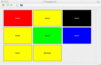
Located on the Main Dramatica Desktop is a button labeled, "Query System."
When you press it, you'll be taken to a screen that presents several different buttons,
each of which is labeled as a different aspect of the story creation process, such as
Character Storyforming or Plot Storyweaving. When you push one, you are taken to a list of
story questions pertinent to the aspect you selected. IGNORE THE BUTTONS!!!
Instead, go to the top left portion of the screen and use the pull-down menu to see a
list of many other question lists. One of them, near the bottom, is called All
Storytelling. Select this choice from the menu. (Don't select the All StoryFORMING item by
mistake!)
The All Storytelling choice brings up a list of every storytelling question available
in the Dramatica software.
Now, why did you do this? Well, if you approach Dramatica from any of the normal,
easily accessible areas, you are presented with STRUCTURAL questions which you MUST answer
before doing any storytelling at all. The StoryFORMING structural questions are multiple
choice, and ask you such things as: "Which of the following items best describes your
story's Goal: Obtaining, Becoming, Understanding…"
Answering a question like that before you even know what your story is about is next to
impossible! But by going to the All StoryTELLING list first instead, you will be presented
with questions such as, "Describe your story's Goal." You don't have any choices
to make, just a space to fill in whatever thoughts you may have about your Goal. So,
you might enter for example, "My Story's Goal is that Joe wants to be
president."
Jump around in the All Storytelling list by clicking on any question you feel like
answering, in any order you like. Even without Dramatica's Story Engine feeding you
choices, you'll find the list of questions so complete and cogent that your story almost
develops itself. Well, not really, but it sure makes you think and fill in gaps.
NOW… Once you have answered all the questions you care to, THEN you go to the All
StoryFORMING list by selecting it from the pull-down menu. Select a question you have
already answered in storyTELLING and click on the Storytelling HelpView button (in the
middle of the screen between the top box and the bottom box) and the storytelling you did
will show up in the bottom box!
You can now refer to your original concepts when making the structural choice in
storyFORMING. In our example, suppose you go to the Goal storyforming question. When you
click on the Storytelling HelpView button, your words, "My Story's Goal is that Joe
wants to be president," appear in the bottom box so you can refer to them while you
are making your choice (Obtaining, Becoming, Understanding) in the top area.
In our example, you would look over the list of choices and ask yourself such questions
as, "Does Joe want to OBTAIN the office of the presidency or BECOME
presidential?" By having your own words in front of you, the storyFORMING choices now
help you focus your intent, rather than making you work with logistic choices far removed
from the creative process.
If you choose Obtaining, the story will be about trying to rise through the party, win
the nomination, and then the election. If you choose Becoming, the story will be about
trying to grow to become presidential (as in the movie "Dave").
For help in making your choices, use the HelpView buttons. To do this, first
select an item you think best sums up what you have written. Then, click on the
Definition, Context, and Stories HelpView buttons to see if that choice matches. If
it is perfect, go on to the next question. If not, try other choices until you find
the one that best fits the description you wrote.
It is important to begin your Storyforming with the questions that are most important
to you. This is because Dramatica's Story Engine will be working in the background,
limiting future choices to be compatible with what you have already chosen. So, by
starting with the story points you are most "married" to, you will get all of
the key elements into your story that you wanted before you run into dramatic
inconsistencies.
What's a dramatic inconsistency? Well, authors usually come to a story with lots
of little pieces that deal with the same subject matter. But just because they all
have to do with the same topic doesn't mean they all fit in the same story! The
process of structuring a story is working out which pieces fit together and which need to
be discarded.
As you work down the list of questions you filled in for Storytelling, you may
eventually find that none of ths Storyforming choices remaining come close to describing
your words. In that case, you have two options:
1. Change your words.
2. Ignore the dramatic inconsistency.
If the Storytelling you did is not really important to you, then you'll want to return
to the Storytelling question list and revise your words to match one of the available
dramatic choices. But if your Storytelling IS important, then you may decide to
ignore the dramatic inconsistency and leave it in anyway.
Why would you want to create a story with flawed dramatics? Stories are half
Structure (meaning) and half Storytelling (audience experience). Someitmes a poor
song well played sounds better than a great song poorly played. Only you can
determine if the inconsistency is so dramatically wrenching as to derail the audience, or
if the Storytelling is so compelling that its power far outweighs a minor dramatic flaw.
Finally, even when you have answered the Storyforming choices for all the Storytelling
questions you described, you may still not have arrived at a single Storyform. At
this point, you also have two options:
1. Go back to the Storytelling questions and describe more of them, inspired by
what you have now developed for your story.
2. Stay in the Storyforming questions and answer them directly without doing any
Storytelling for them first.
In the first case, you should go to the next most important question and work down you
list of priorities. Then, go back to Storyforming and proceed as before. Do
this as many times as you need in order to finally arrive at a single Storyform structure.
In the second case, go to the most important unanswered Storyforming question remaining
and make your choice. Work down your list of Storyforming questions until you arrive
at a singel Storyform.
(Keep in mind that you can make multiple selections on some items and let Dramatica's
Story Engine narrow those choices, perhaps even pick a single item, based on your
continuing input with other questions.)
Eventually, you will have arrived at a single Storyform. At this point, there
will be many Story Points determined by Dramatica's Story Engine which do not yet have any
Storytelling. Now it is time to return to the Storytelling areas of the software and
fill them in, based on what you have already written.
(It should be noted that you can also fill in your Storytelling choices in the Story
Points window as well as in the All Storytelling question list.)
In summary, rather than first approaching a sterile process of story structuring that
leaves you cold, uninspired, and frustrated, you can go first to storytelling and express
all of your interests and passions, letting them form the basis for your story structuring
later. This works even better if you have already jotted down some notes or written a
treatment or even a first draft.
Try Dramatica & StoryWeaver Risk
Free*

$179.95
$29.95
*Try either or both for 90 days. Not working for you?
Return for a full refund of your purchase price!
About Dramatica and
StoryWeaver
Hi, I'm Melanie Anne Phillips,
creator of StoryWeaver,
co-creator of Dramatica
and owner of Storymind.com. If you have a moment, I'd like to tell you
about these two story development tools - what each is designed to do, how
each works alone on a different part of story development and how they can be
used together to cover the entire process from concept to completion of your
novel or screenplay.
What They Do
Dramatica is a tool to help you
build a perfect story structure. StoryWeaver is a tool to help you build
your story's world. Dramatica focuses on the underlying logic of your
story, making sure there are no holes or inconsistencies. StoryWeaver
focuses on the creative process, boosting your inspiration and guiding it to add
depth, detail and passion to your story.
How They Do It
Dramatica has the world's only
patented interactive Story Engine™ which cross-references your answers to
questions about your dramatic intent, then finds any weaknesses in your
structure and even suggests the best ways to strengthen them.
StoryWeaver uses a revolutionary new
creative format as you follow more than 200 Story Cards™ step by step through
the story development process. You'll design the people who'll inhabit
your story's world, what happens to them, and what it all means.
How They Work
Together
By itself Dramatic appeals to
structural writers who like to work out all the details of their stories
logically before they write a word. By itself, StoryWeaver appeals to
intuitive writers who like to follow their Muse and develop their stories as
they go.
But, the finished work of a
structural writer can often lack passion, which is where StoryWeaver can help.
And the finished work of an intuitive writer can often lack direction, which is
where Dramatica can help.
So, while each kind of writer will
find one program or the other the most initially appealing, both kinds of
writers can benefit from both programs.
Try Both Programs
Risk Free!
We have a 90
Day Return Policy here at Storymind. Try either or both of these
products and if you aren't completely satisfied we'll cheerfully refund your
purchase price.

















 Format:
Windows / Mac CD-ROM
Format:
Windows / Mac CD-ROM